
When starting a new project, it’s tempting to jump straight into modeling, texturing, or whatever part feels most exciting. I used to do the same.
Over time, especially through collaborative projects and production-based work, I realized that many of the problems that slow a project down don’t come from the creative work itself. They come from poor organization, unclear structure, and technical decisions that weren’t considered early enough.
What once felt like “saving time” often ended up creating more work later.
This is why I now spend time setting up a project before creating any assets. It may seem like a small step, but it has a huge impact on how smoothly a project develops from start to finish.
Why projects slow down earlier than expected
Most projects don’t become messy overnight. It usually starts with small shortcuts: an object that isn’t named properly, a temporary folder structure, a file version that never gets cleaned up. None of these decisions seem important in the moment. The problem appears later, when the project grows.
During collaborative projects and short films, I’ve seen how unclear organization can make even simple updates harder than they need to be. Finding the correct file, understanding someone else’s scene, or making changes without affecting other elements becomes slower and more frustrating than the actual creative work.
Good structure doesn’t remove problems, but it makes them easier to solve.
How I prepare a project before creating assets
Before I start building anything, I take time to prepare a base structure that will support the project from start to finish.
Clear Structure and Naming
One of the first things I establish is a consistent organization system.
This includes:
- Logical asset grouping
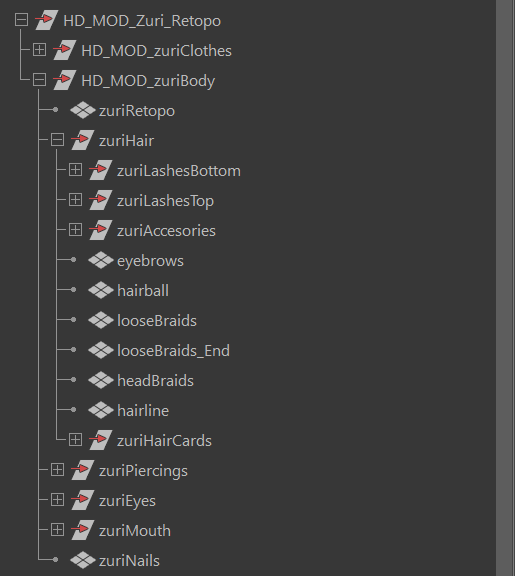
- Clean scene hierarchies
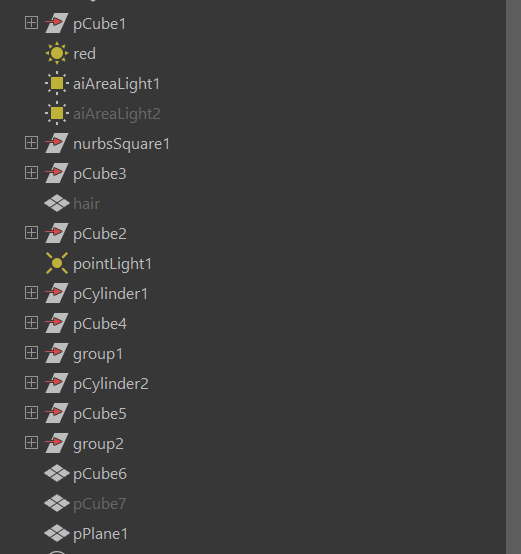
- Clear naming conventions
- Organized project folders
The goal is simple: anyone opening the project (including my future self) should be able to understand it quickly. A well-structured scene makes updates easier, reduces mistakes, and keeps production moving efficiently as complexity increases.
For teams, this clarity is essential. For solo work, it is what keeps the project manageable weeks later when you don’t remember what “cube67” was for.
Technical awareness without over-optimizing too early
At this stage, I’m not trying to optimize everything. Instead, I focus on creating a setup that can adapt as the project evolves.
Working primarily on character-focused projects during my Master’s degree taught me how often things change throughout production. Designs evolve, proportions shift, assets need revisions, and new requirements appear unexpectedly. A flexible setup makes those changes manageable.
Why this matters in production environments
This way of working has proven especially valuable in collaborative projects and real productions.
A solid base setup directly affects how reliable a file is when handed over to someone else. Clean structure, readable scenes, and predictable organization reduce the risk of errors and save time for everyone involved. The setup itself is not visible in the final render, but its impact is felt throughout the entire production.
What other artists can take from this approach
You don’t need an elaborate pipeline or a complex system to benefit from this mindset. The most important habit is simply thinking about the project beyond the current task. And whether another artist could work with that file easily.
These habits compound over time. And each project becomes easier to manage than the previous one.
Final thoughts
Earlier in my learning process, I was focused on finishing pieces as quickly as possible. With experience, especially after working on team-based productions, I understood that speed comes from preparation, not from skipping steps. Now, taking time to set things up properly helps me work with less stress, adapt more easily to changes, and enjoy the process more.
You can see how this approach is applied in my projects through the detailed breakdowns in my portfolio.


